| Support Category: LMS Navigation |
| Specialist Notes: |
| Standard Response: |
To update your resume, kindly follow the steps below:
1. Hover your cursor over the “Home” tab.
2. Select “Universal Profile” from the drop-down menu.
3. Under your profile picture, click the “Resume” tab.
4. Then, select the + icon next to any section that needs updating.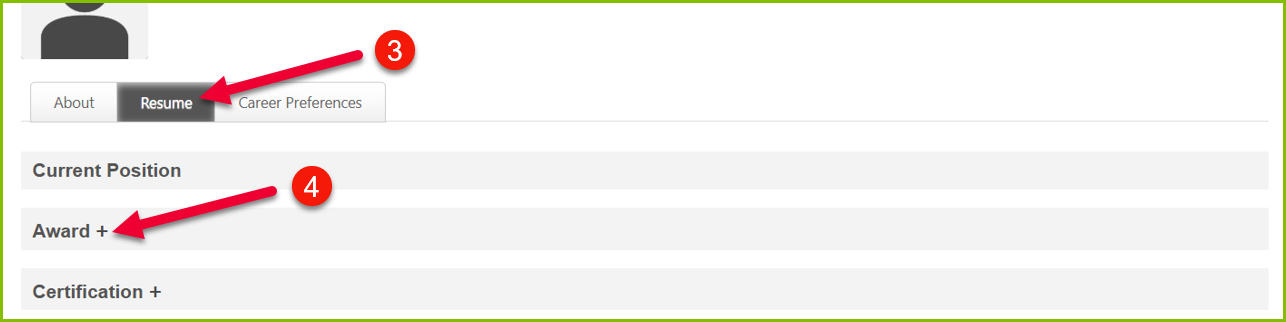
5. Remember to click the “Save” button once all changes have been made.
